One simple button.
Hold Talk to say hello, share a discovery, or check in with your family.
Built for Apple Watch For Your Kids
Let them play like you used to, with a familiar voice close by. OkayTu is designed for simple, secure family voice between kids on Apple Watch and parents on Apple Watch or iPhone. More freedom for them. More peace of mind for you.
For kids
Apple Watch
For parents
Apple Watch or iPhone
Hold Talk to say hello, share a discovery, or check in with your family.
Voice streams while Talk is held when both devices are ready and connected.
Completed recordings are saved as encrypted voice messages, with retry if the connection drops.
How it works
From their Apple Watch to your Watch or iPhone, without a keyboard getting in the way.
A parent connects the Watch with a short code. Their familiar contact is ready on the home screen.
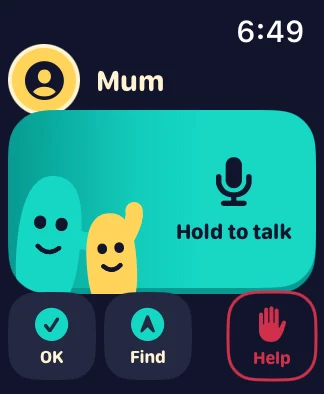
A big Talk button makes a quick check-in easy, without typing a message.
The recording is saved, with clear updates when it is sent, delivered and heard.
For kids
Big controls, familiar faces and friendly little guides help kids find their way, even when reading is still a work in progress.
Large controls keep the next step clear.
Their paired family contact stays close at hand.
Kids can see when a message is saved, sent or heard.
Tu and Pip bring a friendly face to talking, listening and waiting.

Meet Tu & Pip
Tu and Pip bring a little fun to every hello. They help make talking, listening and waiting feel familiar, with clear words and symbols alongside them.
For parents
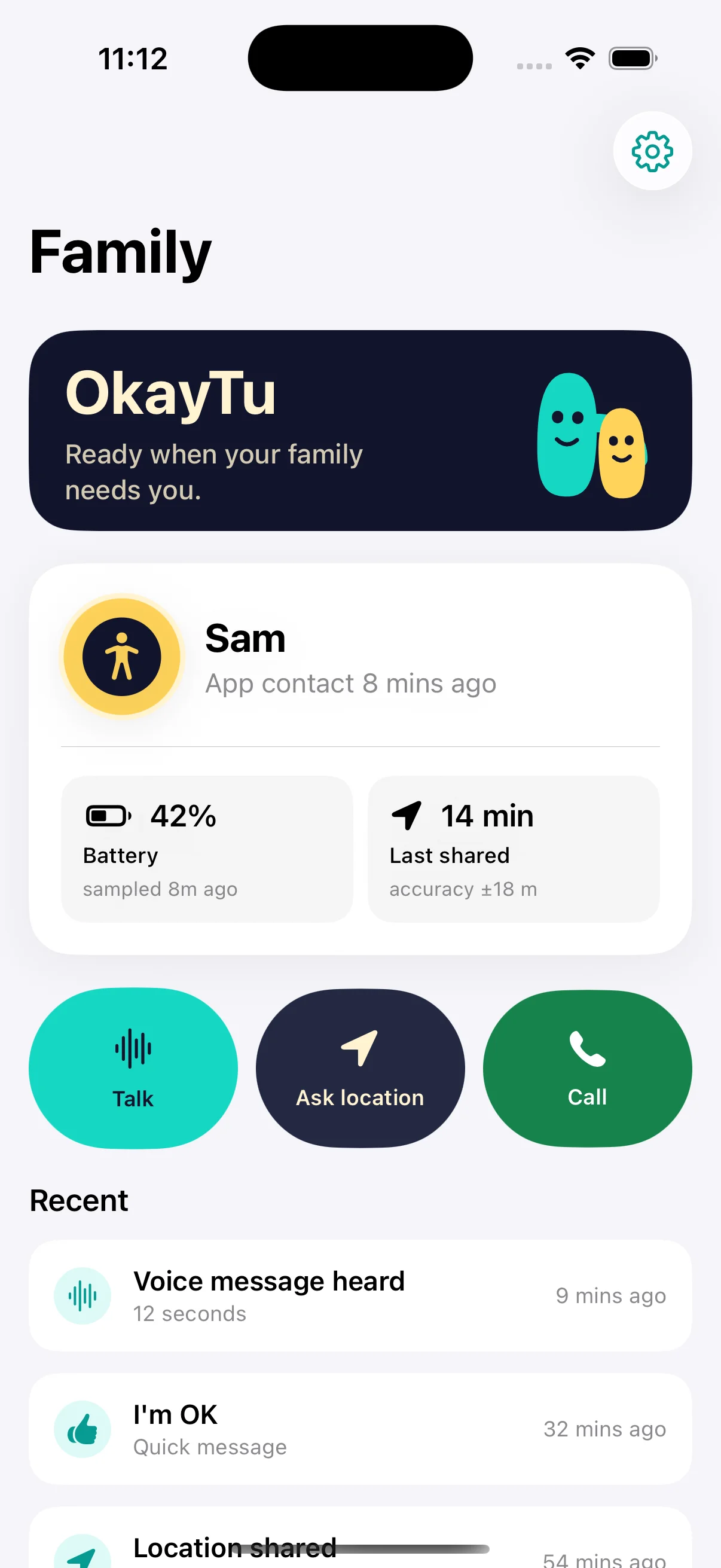
Sometimes a familiar voice is all a little adventurer wants. Set up your family’s connection, hear their news, and see when a saved message has been heard.
Connect approved Watches with a short code.
Talk between active paired Watches, or listen to your child’s messages on iPhone.
Saved, Sent, Delivered and Heard each tell you something different.
Encrypted voice messages offer a fallback when live audio is unavailable.
Family privacy
A quick check-in can help you feel closer. Connections, batteries and Watch settings can still affect delivery, so OkayTu makes message status clear. It is a family communication app, not an emergency service.
A parent pairs approved devices to the family.
Voice messages are encrypted on the device before upload.
Product roadmap
We’re starting with family voice and carefully building the helpful check-ins that come next. Here’s what’s in beta testing and what is still planned.
Live audio, notifications and real-world battery behaviour still need physical-device validation. iPhone replies are not yet available.
Preview only: Find and Help appear in interface concepts but do not yet share location or alert a guardian. Help is not an emergency service.
FAQ
No phone of their own. OkayTu is designed for an independently connected Apple Watch using Apple Watch For Your Kids. A parent needs an iPhone for setup, and the Watch needs an internet connection over supported Wi-Fi or cellular. In the beta, parents can talk from a paired Watch or receive voice on iPhone.
That is the idea: hold Talk and speak. Voice streams while you hold when both devices are ready and connected; the completed recording is also saved as an encrypted message. Real-world latency and background delivery still need physical-device testing.
Yes. The beta includes two-way voice between active, paired parent and child Watches, with physical-device validation still ahead. Parents can also receive voice on iPhone; recording replies on iPhone is not yet available.
Live audio is not guaranteed when the Watch app is inactive. It may receive a visible notification, and saved messages can be retrieved when OkayTu opens and reconnects. Notification delivery still needs testing on physical Watches.
Not yet. Location sharing, directions and low-battery alerts are planned. Find Each Other is currently an interface preview and does not share location.
No. Help is planned as a way to notify your paired family, not emergency services. The current Help button does not yet contact a parent. Do not rely on OkayTu for emergencies.
A completed recording is kept in the encrypted outbox for retry. Its status stays Saved until the server confirms it was sent; Delivered and Heard are separate updates.
More to explore
Join the beta list and help us shape a simpler way for families to stay in touch.
Opens your email app. Just say you’d like to join. No child’s name, location or other personal details needed.